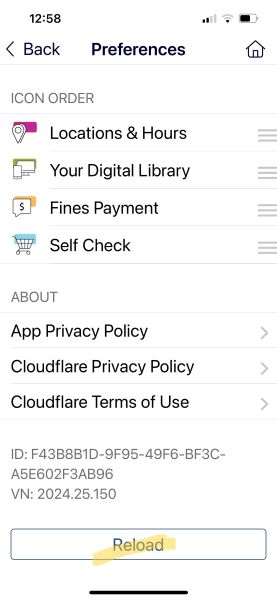
 Over the last three months, CountyCat Mobile app users were not able to use the limiters that come up from the search results screen. This has been fixed as of 10/4/2024.
To push through the change, existing users need to go to My Account > View or Change Preferences > Reload (at the very bottom of the screen) With this fix, patrons may now SORT results and set LIMITS the same way you do in the CountyCat desktop catalog.
- by format (when doing so, you’ll need to click on the format you want, then go into the full record to see copies)
- by location
- searching on the title, by start of title, by series, by subject
- searching by age level (adult, children/youth, young adult, all ages, specialized and Libby only)
-